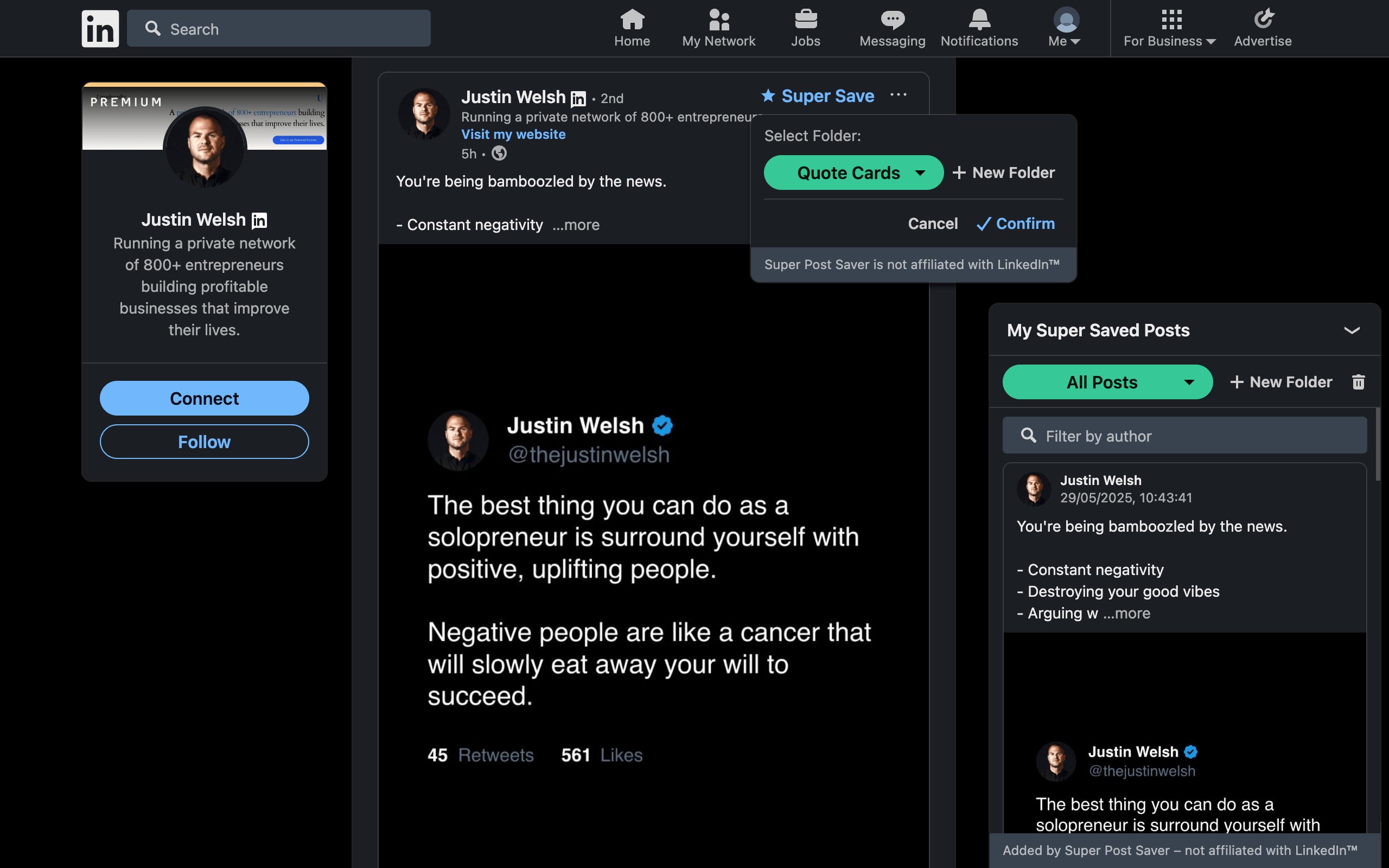
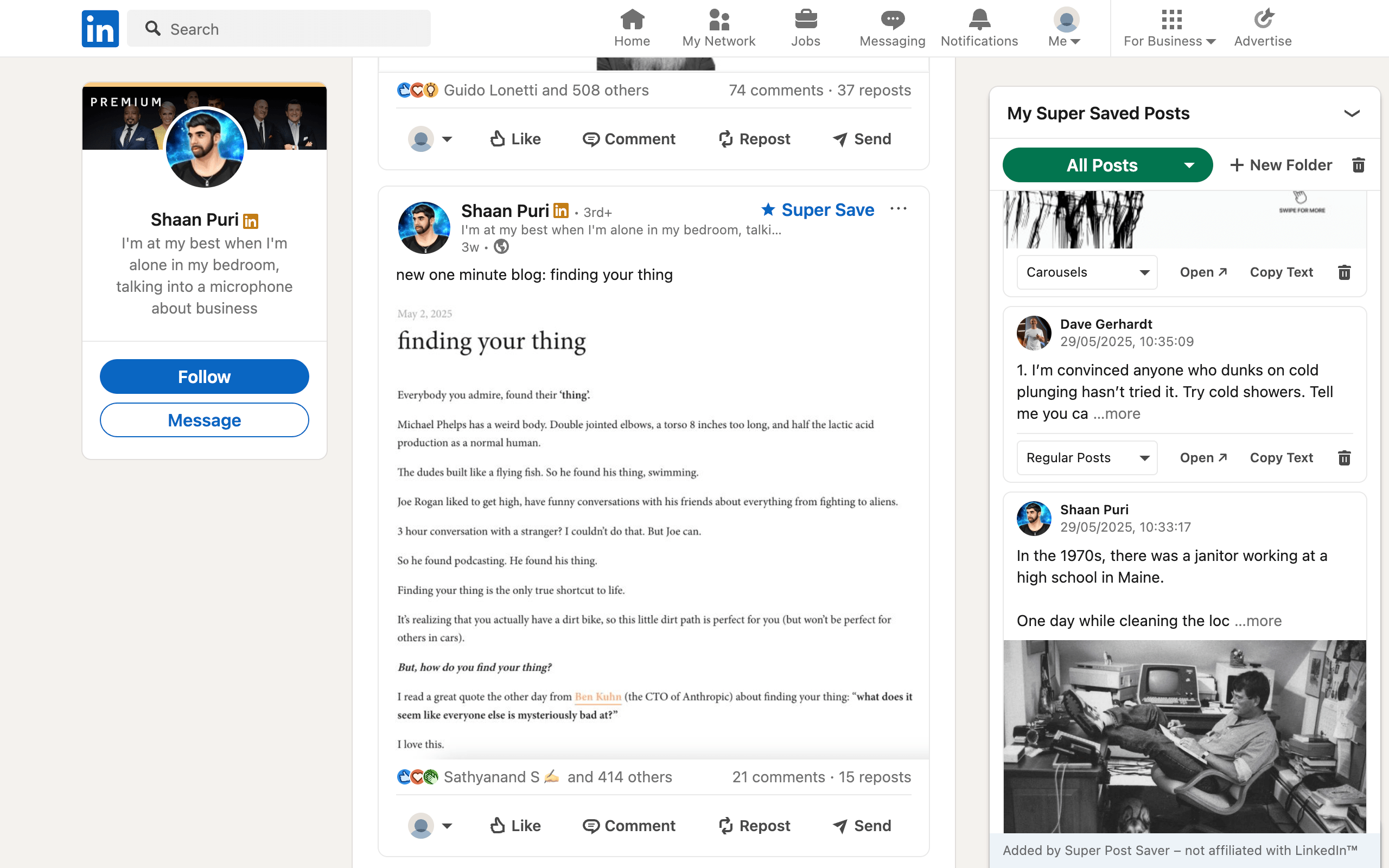
Quick answerChoose Super Post Saver when you want a free, no-account, folder-based library for posts you save from now on. Choose PostDeck when importing your existing LinkedIn Saved Posts history, using labels and nested folders, tracking read or archive state, or exporting CSV matters more.
PostDeck and Super Post Saver solve nearly the same underlying problem: LinkedIn's native Saved Items list becomes difficult to retrieve from as it grows. Both are Chrome extensions, both keep the core collection local by default, and both add search and organization. The meaningful difference is how the collection begins and how elaborate you want it to become.
DisclosureSuper Post Saver publishes this comparison. Feature descriptions for PostDeck come from its public product and pricing pages reviewed July 31, 2026. Prices and features can change, so verify the current product page before deciding.
Super Post Saver vs PostDeck at a glance
| Question | Super Post Saver | PostDeck |
|---|---|---|
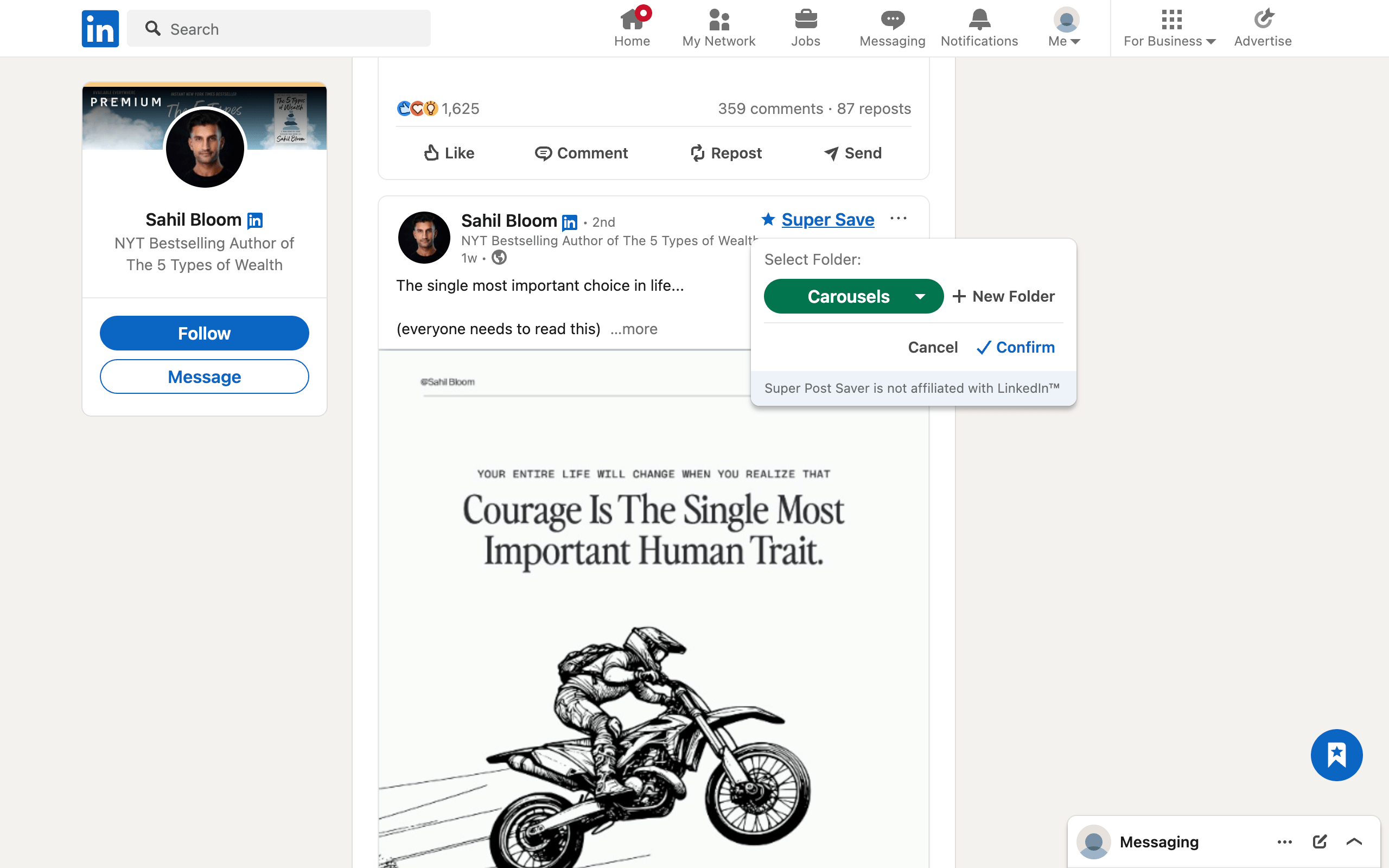
| Starting point | Save new supported posts with Super Save | Import existing native LinkedIn saved posts |
| Organization | Built-in and custom folders | Labels, nested folders, unread, and archive views |
| Search | Captured author and exact post words | Full-text search plus labels, folders, and media filters |
| Default storage | Local Chrome extension storage | Local-first Chrome storage |
| Cloud sync | No automatic sync | Optional paid cross-device sync |
| Export | Backup and restore file | CSV with library metadata |
| Account | No Super Post Saver account | Sign-in required only for optional Pro sync, according to PostDeck |
| Current cost | Free | Core features free; paid sync plans available |
Where the products overlap
Both products are stronger than a generic bookmark when the thing you remember is inside the post. They preserve enough context to search the author or words, organize posts into a structure, and revisit the original source. Both also describe a local-first model, which can be preferable when you do not want every saved post in a vendor cloud by default.
Neither local model removes backup responsibility. Browser profiles can be reset, extension data can be cleared, and computers can fail. Super Post Saver exposes export and restore for its backup format. PostDeck advertises CSV export and says local data remains available even if a paid sync plan is cancelled.
Choose Super Post Saver when simplicity is the priority
Super Post Saver is the better fit when:
- you are starting a deliberate collection from today rather than migrating a large archive;
- folders are enough and you do not need labels, archive state, or media filters;
- you want no product account and no automatic cloud sync;
- exact keyword and author search match how you remember posts;
- you prefer a compact library beside LinkedIn rather than a separate reading workspace;
- you want the complete current feature set without a paid sync tier.
The main tradeoff is migration. Super Post Saver does not bulk-import an existing LinkedIn Saved Items history. It captures posts you deliberately Super Save after installation.
Choose PostDeck when the existing archive matters
PostDeck is the stronger fit when:
- you already have hundreds of native LinkedIn saves to import;
- you want labels and nested folders rather than one folder per entry;
- read, unread, archive, and media filters are useful to your review workflow;
- CSV is the export format you need for spreadsheets or another database;
- optional paid cross-device sync is worth more than a strictly local workflow.
PostDeck's public page currently lists its core import, search, labels, folders, archive, and CSV export as free and local-first. It lists paid annual and lifetime plans for cloud sync. Check current pricing directly because comparison-page prices become stale quickly.
Run a ten-post test before switching
- Pick ten saves containing text, an image, and a document post.
- Confirm the author, text, media clue, and original link are preserved.
- Search one exact phrase and one author's surname.
- Create the organization structure you would actually maintain.
- Export the collection and inspect the resulting file.
- Delete a test entry and confirm the behavior is understandable.
Do not migrate a valuable library until the Open action, search, and export all work the way you expect. For other products in this category, see the best LinkedIn Chrome extensions by use case.
Review permissions and LinkedIn's platform rules
Neither product is affiliated with or endorsed by LinkedIn. LinkedIn's published policy restricts extensions that scrape, automate, or alter its interface. Any product that reads rendered post content or inserts controls may be affected by platform changes or enforcement. Review each extension's current permissions and LinkedIn's current rules yourself; this feature comparison is not a compliance guarantee.