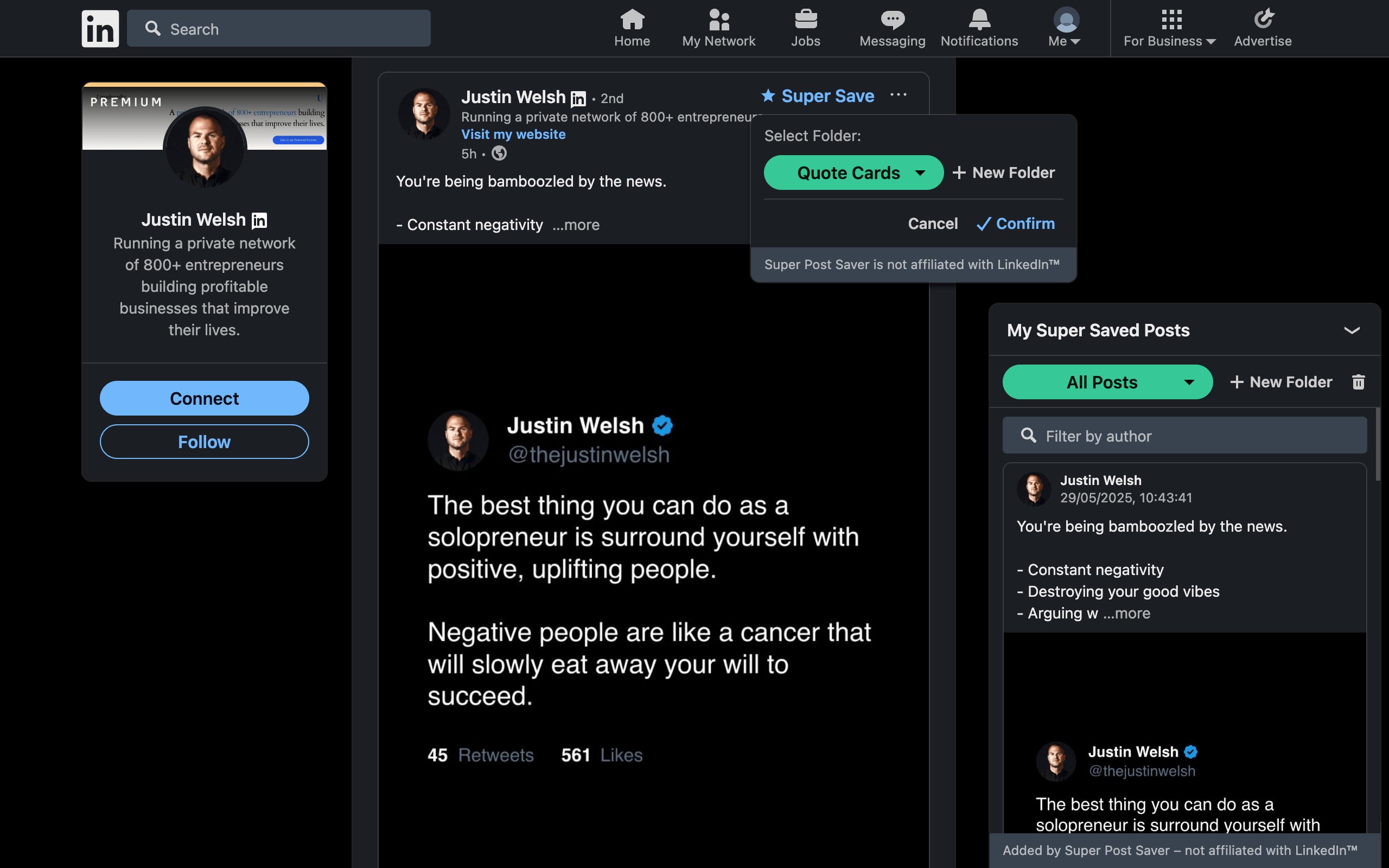
Quick answerUse LinkedIn Save for quick access across desktop and mobile, browser bookmarks for a universal URL list, and a dedicated LinkedIn post saver when you need post context, folders, and search by author or body text.
There is no single best bookmark system for every post. The right choice depends on what you expect to remember later. A URL is enough when you know the destination. It is not enough when you remember only that someone wrote a useful paragraph about positioning six months ago.
LinkedIn Save, browser bookmark, or post saver?
| Capability | LinkedIn Save | Browser bookmark | Dedicated post saver |
|---|---|---|---|
| Works in LinkedIn mobile app | Yes | Through mobile browser sharing | Usually desktop only |
| Keeps post author and body context | Shown by LinkedIn | Usually no | Often yes |
| Custom organization | Limited in documented flow | Folders | Folders or tags |
| Search inside captured post text | Varies by interface | Usually no | Depends on product; yes in Super Post Saver |
| Cross-device sync | Through LinkedIn account | Through browser sync | Local or cloud, depending on tool |
| Portable backup | No saved-post export | Browser bookmark export | Depends on product; JSON in Super Post Saver |
Use LinkedIn's native Save when
- you are browsing in the LinkedIn mobile app;
- you want a quick reading list without installing anything;
- cross-device access through your LinkedIn account matters more than custom organization;
- you save infrequently enough that chronological browsing remains manageable.
The native option is the lowest-friction choice. Its weakness appears as the collection grows and your memory shifts from "I saved it yesterday" to "someone wrote it months ago."
Use a browser bookmark when
- you want one system for LinkedIn and the rest of the web;
- the URL itself is meaningful, such as a company page or newsletter;
- Chrome bookmark sync already fits your device workflow;
- folder trees are sufficient and post-body search is not important.
Browser bookmarks are portable and familiar, but LinkedIn post URLs often produce generic titles. Months later, a bookmark may tell you little about the author, argument, or reason you kept it.
You can improve a browser-only setup by renaming every bookmark with the author's name and the post's main idea. That works for a small collection, but it creates a manual metadata step for every save. It also cannot search the full post unless you paste the text somewhere else. A dedicated saver automates that context capture while the post is visible.
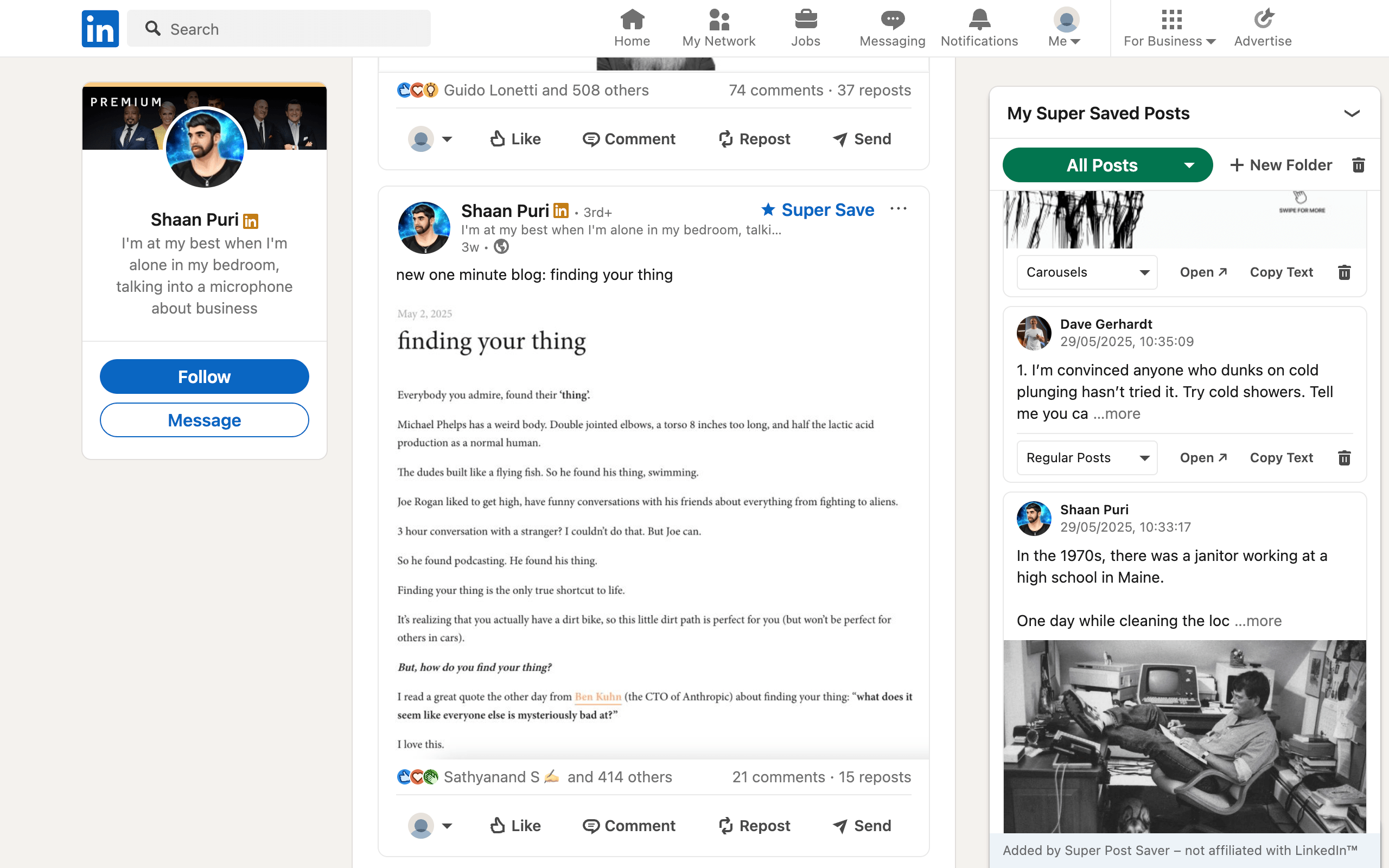
Use a dedicated LinkedIn post saver when
- saved posts support content creation, research, or client work;
- you need to search a phrase from the post rather than its page title;
- folders should be chosen while the post is still in context;
- you want a post-focused review interface;
- you understand and accept the tool's local or cloud storage model.
Super Post Saver is a local, save-forward option. It does not import old LinkedIn saves or sync through a Super Post Saver account. In exchange, it provides custom folders, author and post-text search, direct post references, and JSON backup without sending the collection to its own database.
A sensible hybrid workflow
You do not need to force every link into one tool:
- Use LinkedIn Save for casual mobile reading.
- Use Super Save for durable examples, research, and posts tied to active work.
- Use browser bookmarks for stable destination pages, tools, and websites rather than individual feed posts.
- Review and delete low-value saves regularly.
- Export backups from systems that store data locally.
The purpose of the system is not consistency for its own sake. It is lowering the time between remembering a useful idea and recovering its source.
Whichever method you choose, remember that all three normally point back to content controlled by its author and LinkedIn. If the source disappears, the URL can stop working. Keep independent notes for conclusions that matter to a client, publication, or long-term research project, and preserve attribution to the original author.