
Save without breaking your flow
Capture useful posts and keep browsing without opening another tool.
Make LinkedIn’s save feature work the way it should — with folders, filters, and full control.
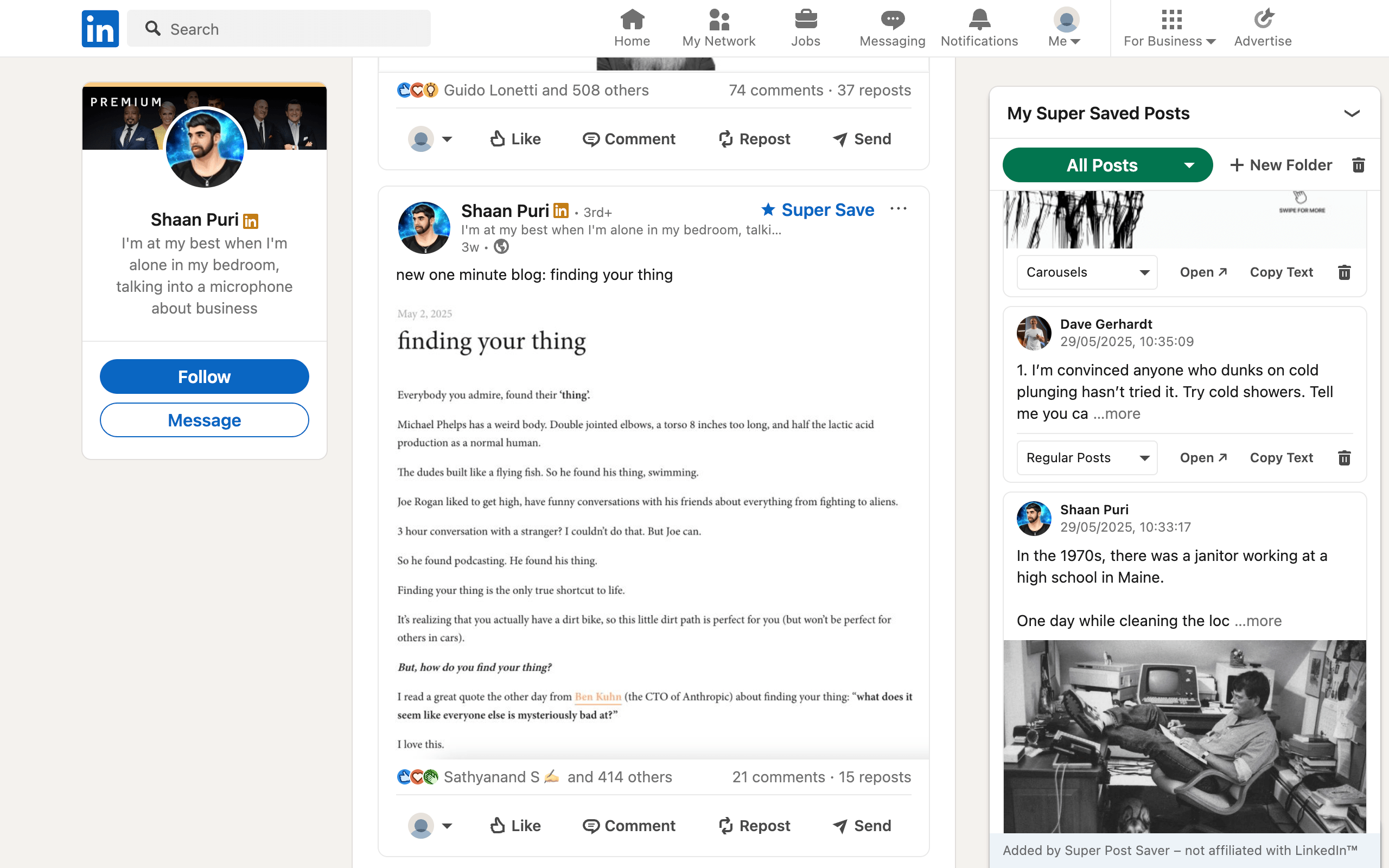
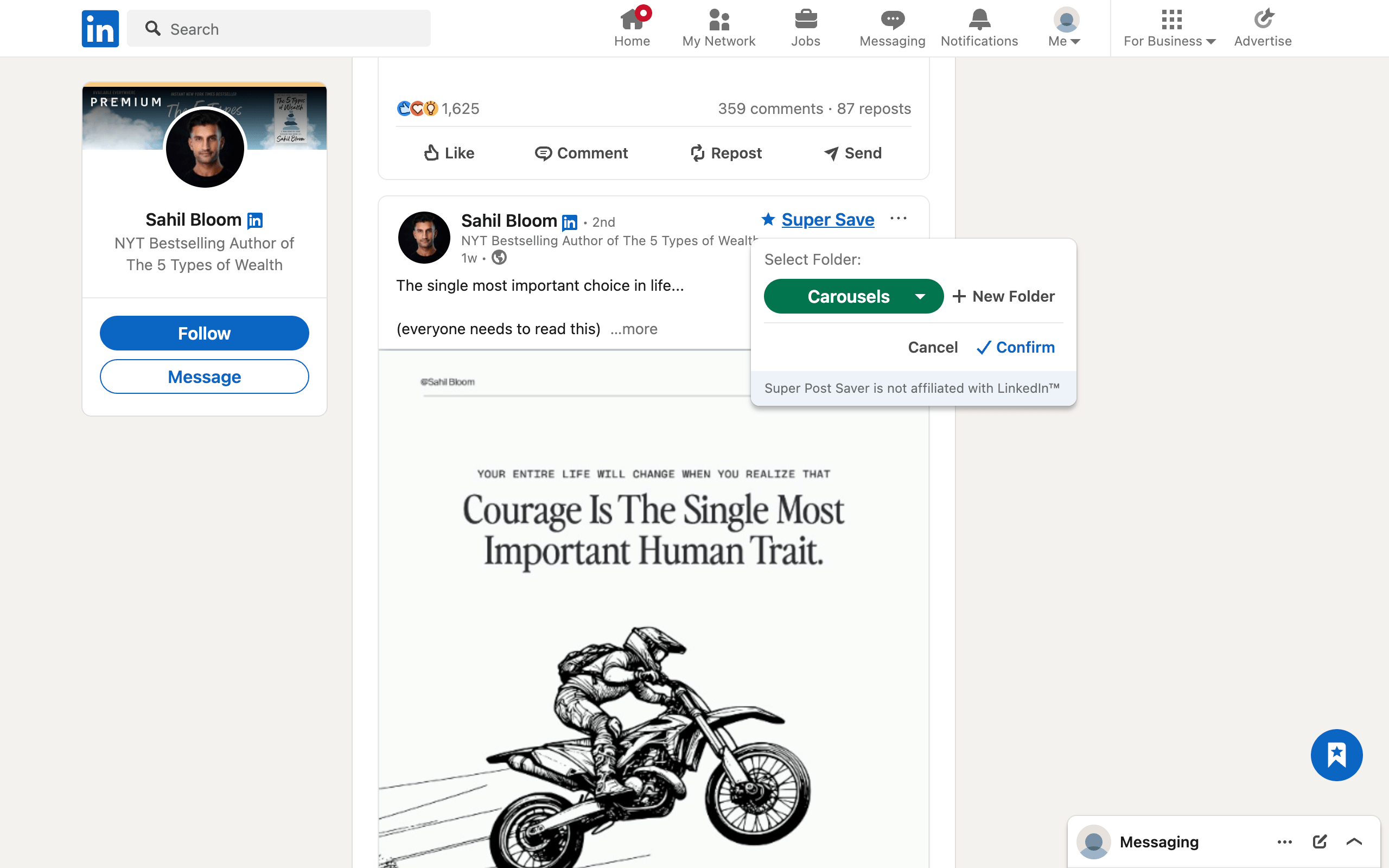
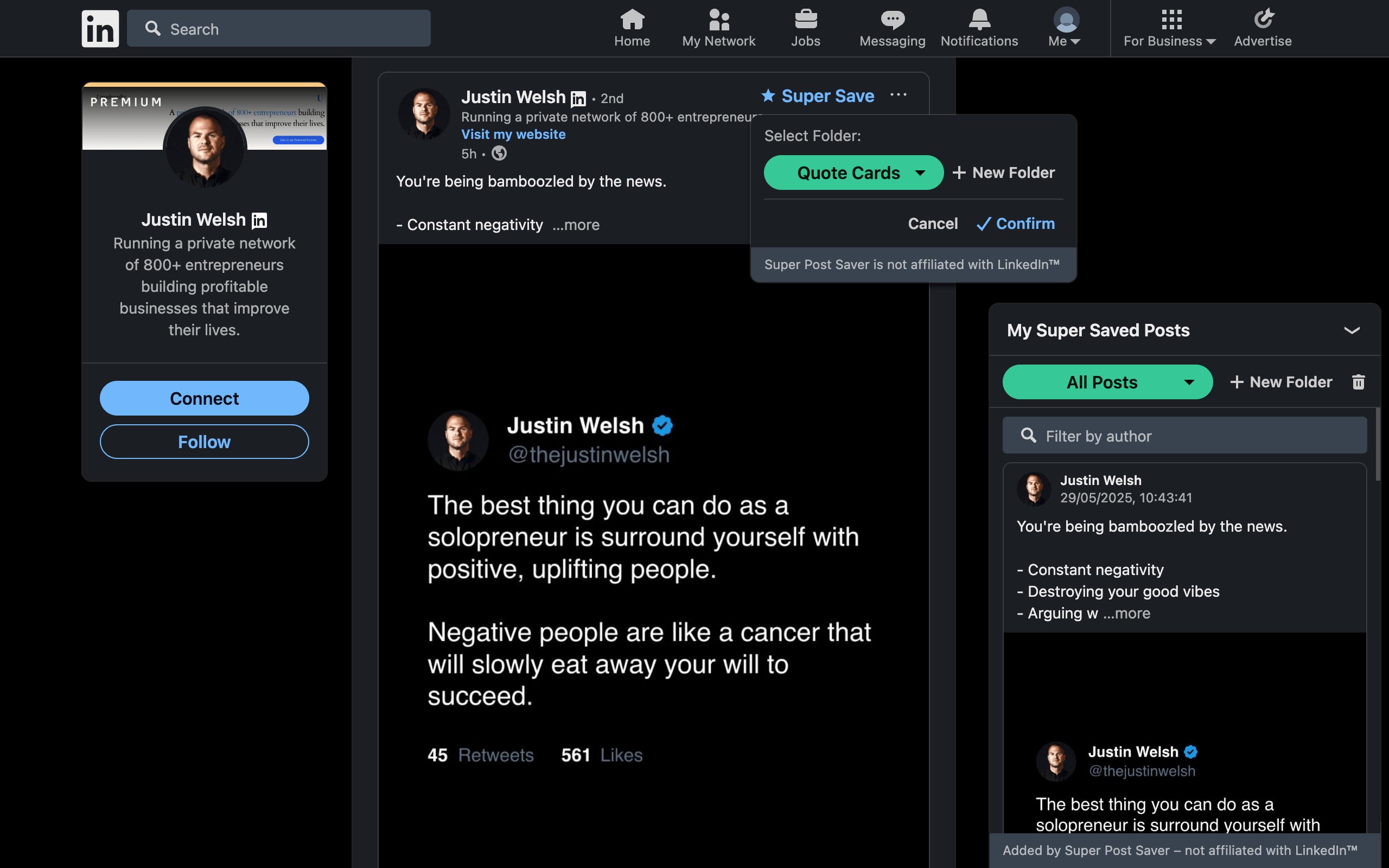
Save it once. Find it when it matters.
Capture useful posts while you browse, organize them your way, and bring them back when you’re writing, researching, or working with a client.
Capture useful posts and keep browsing without opening another tool.
Create folders for hooks, carousels, research, clients, or whatever matches your workflow.
Search by creator or any words from the post, with matching text highlighted.
Reopen the source post directly instead of landing in the feed and searching again.
Open Super Post Saver from Chrome’s extension menu to browse folders, search, copy text, and reopen saves from any tab.
Build your collection without signing up for another service. Your saves stay in your browser by default.
Export a backup before switching computers or clearing Chrome, then restore your folders and saves later.
Use Super Save across supported feeds, profile activity, company feeds, and individual posts.
How it works
Add Super Post Saver from the Chrome Web Store. No separate account or LinkedIn credentials are requested.
When a supported LinkedIn post appears, select Super Save and place it in a built-in or custom folder.
Open your library, search by author or post words, and follow the direct link back to the original post.
Practical guides
Clear, tested workflows for finding LinkedIn saves, organizing a swipe file, and keeping a collection useful over time.
Desktop and mobile steps, plus what to do when the saved list becomes too hard to browse.
Read guide
A simple folder system that stays useful after your first ten, hundred, or thousand saves.
Read guide
Collect hooks, structures, and visual ideas without turning inspiration into imitation.
Read guideFAQ
Yes. The extension is currently free to install and use from the Chrome Web Store.
LinkedIn's documented flow puts saved posts and articles in Saved Items. Super Post Saver creates a separate local library with custom folders, author and post-text search, highlighted matches, and backup controls.
Yes. Search checks the saved author's name and captured post text. Matching words are highlighted so you can see why a result appeared.
It is stored in Chrome's local extension storage on your device. Super Post Saver does not require an account or sync the collection to its own server.
Local extension data can be removed when a browser profile or extension is cleared. Use Export backup first, keep the JSON file somewhere safe, and choose Restore backup after reinstalling.
No. Super Post Saver maintains its own collection and begins with posts you save through the extension. It does not bulk-import your existing LinkedIn Saved Items list.
Super Post Saver is a desktop Chrome extension. LinkedIn's own Save feature remains the option in the LinkedIn mobile app.
No. It does not post, like, comment, connect, or message on your behalf. It adds local saving and organization controls to supported post views.
No. Super Post Saver is an independent browser extension and is not affiliated with, endorsed by, or connected with LinkedIn Corporation.
Build a searchable LinkedIn reference library with folders, direct links, and local backups. No account required.