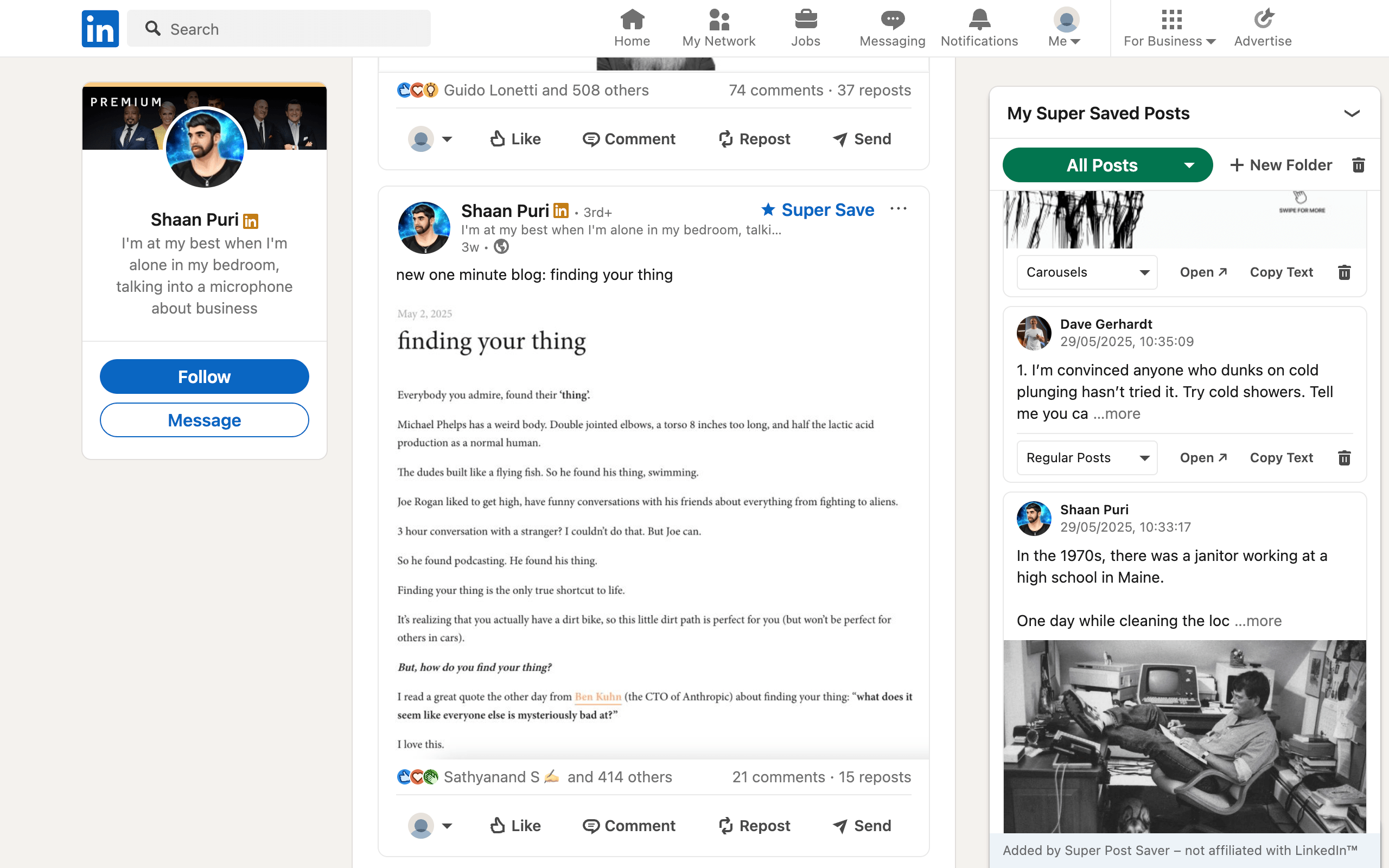
Quick answerChoose Tomo if custom tags and filters by tag, date, or author match how you browse LinkedIn saves. Choose Super Post Saver if you prefer one folder per saved entry, exact author and post-text search, a separate local library, and visible export and restore controls.
Tomo and Super Post Saver are both free Chrome extensions aimed at the same frustration: saved LinkedIn posts become hard to recover. Their public positioning differs most in organization. Tomo emphasizes custom tags and filters. Super Post Saver emphasizes folders, captured text search, and a save action attached to supported posts.
DisclosureSuper Post Saver publishes this comparison. Tomo features are based on its official website and Chrome Web Store listing reviewed July 31, 2026. Where Tomo's public materials do not specify behavior, this article says to verify it instead of guessing.
Super Post Saver vs Tomo at a glance
| Question | Super Post Saver | Tomo |
|---|---|---|
| Main organization | Built-in and custom folders | Custom tags |
| Retrieval | Folder plus exact author or captured-text search | Search plus filters for tag, date, and author |
| Capture model | Creates a separate Super Save library | Described as organizing LinkedIn saved posts |
| Existing history | No bulk import | Confirm current loading or import behavior in a test |
| Backup | Export and restore are visible product features | Verify current export options |
| Current cost | Free | Free |
The main decision is folders versus tags
A folder answers, "Where does this post belong?" A tag answers, "Which qualities does this post have?" Neither model is universally better.
Folders are easier when your collection follows mutually clear destinations:
- Hooks
- Carousels
- Research
- To apply
- Client A
Tags are stronger when one post should remain discoverable through several attributes, such as SEO, case study, B2B, and hiring. Tomo's public listing highlights tag, date, and author filters, which suits people who prefer faceted browsing.
Super Post Saver keeps one active folder assignment per post and uses search across the author and captured post text to recover cross-cutting ideas. That reduces taxonomy work, but it is not multi-tag organization.
Understand how the capture model differs
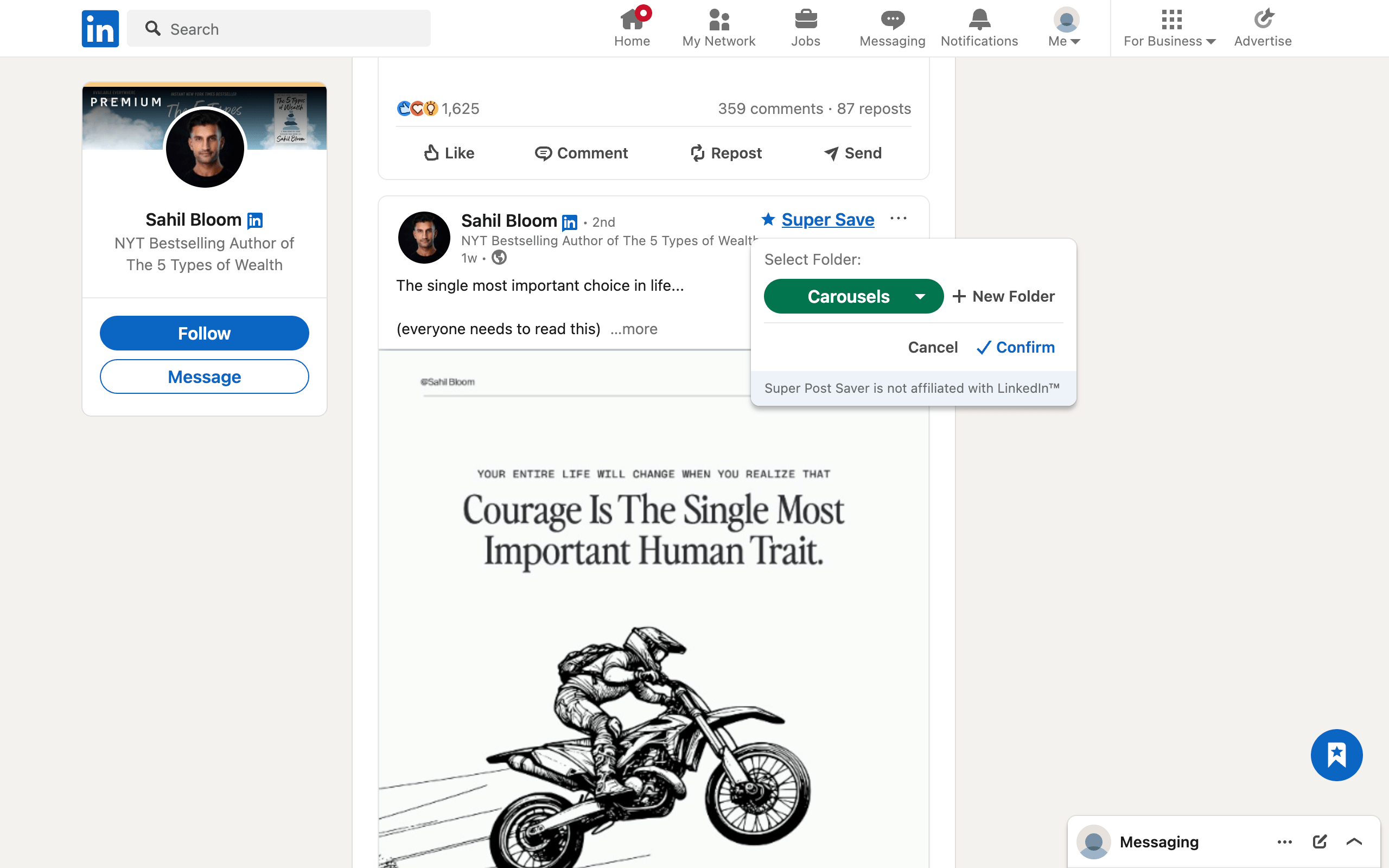
Super Post Saver builds its own collection from posts saved with the Super Save control after installation. It does not import LinkedIn's existing Saved Items list. This is useful when you want a deliberate new library, but frustrating when hundreds of valuable saves already exist.
Tomo describes itself as a way to tag, filter, and search your saved LinkedIn posts. Its public page does not clearly document every history-loading, storage, or export detail. Before treating it as a migration solution, install it with a test profile or small collection and confirm:
- how much existing history appears;
- whether new native saves arrive automatically;
- where the library is stored;
- whether tags and data can be exported;
- what happens when the extension is removed.
Which extension should you choose?
Choose Super Post Saver when you want a compact, no-account folder library, save posts selectively going forward, and value an obvious local backup and restore path.
Choose Tomo when tag-based organization and date or author filters are more natural than one-folder filing, and its current handling of your native saves passes your test.
Choose an import-focused product when migrating a large native archive is non-negotiable. The PostDeck comparison covers a product that explicitly advertises history import.
Use the same retrieval test for both
- Save 20 posts across five topics and several authors.
- Wait a week so short-term memory no longer helps.
- Find one post by author, one by a phrase, and one by intended use.
- Time the three searches and note whether the result explains its match.
- Export or back up the collection, then inspect what the file preserves.
The extension that retrieves the right post with the least maintenance is the better choice, even if the other has more controls.
Review extension permissions and platform rules
Tomo and Super Post Saver are independent products and are not endorsed by LinkedIn. LinkedIn's current policy restricts certain browser extensions, including tools that scrape, automate, or modify its interface. Review each current store listing, privacy disclosure, and LinkedIn's policy before use. This comparison is about product fit, not a promise of platform approval.