Quick answerUse Super Post Saver to collect and retrieve useful examples, a plain document to develop the idea in your own voice, aiCarousels when the idea benefits from a visual sequence, and LinkedIn's native composer and analytics to publish and learn.
The best LinkedIn creator setup is not the one with the most subscriptions. It is the one that helps you move from a half-remembered idea to a useful post without losing context along the way. Each stage should have a clear output: research produces evidence and patterns, writing produces an original point of view, design makes complex material easier to follow, and measurement changes what you create next.
DisclosureSuper Post Saver and aiCarousels are products from the same publisher. This guide recommends each for a different part of the workflow and relies on LinkedIn's native tools where they already do the job.
A five-stage LinkedIn creator workflow
| Stage | Simple tool | Useful output |
|---|---|---|
| Research | Super Post Saver | Findable examples, evidence, and ideas |
| Write | A plain document | An original argument in your voice |
| Design | aiCarousels | A polished, readable visual sequence |
| Publish | LinkedIn's native composer | A live text, image, or document post |
| Measure | LinkedIn native analytics | A decision for the next post |
1. Research: Super Post Saver
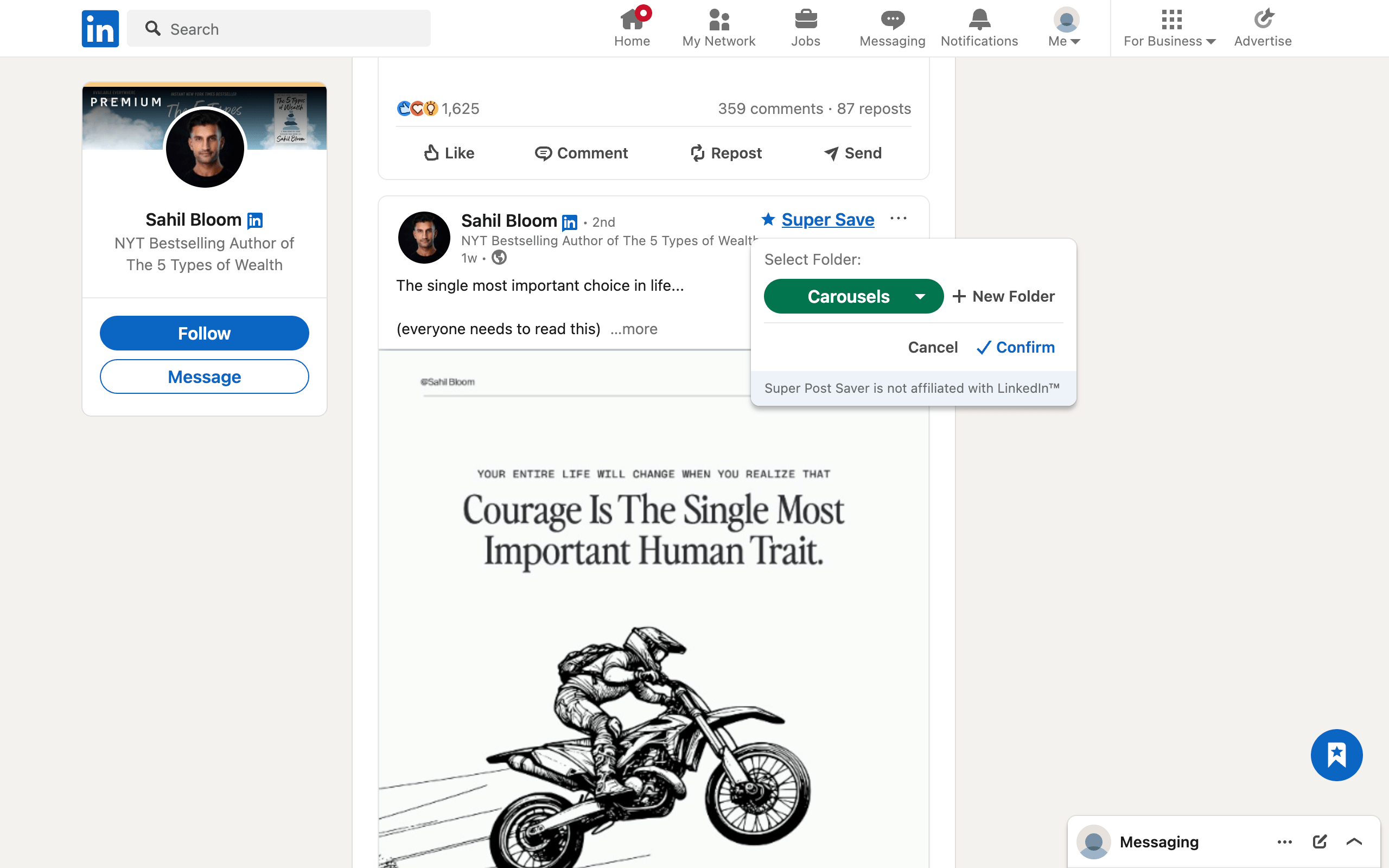
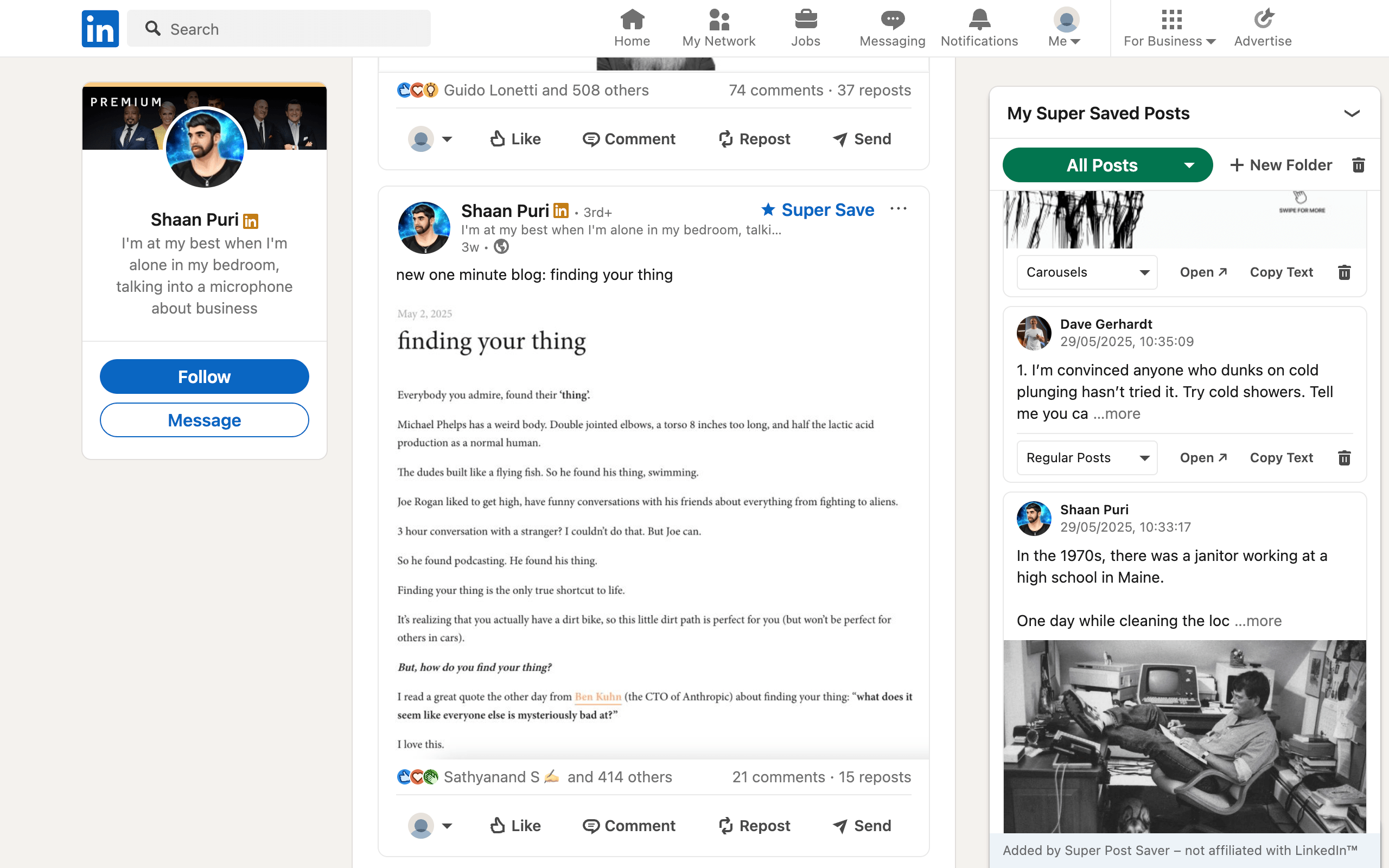
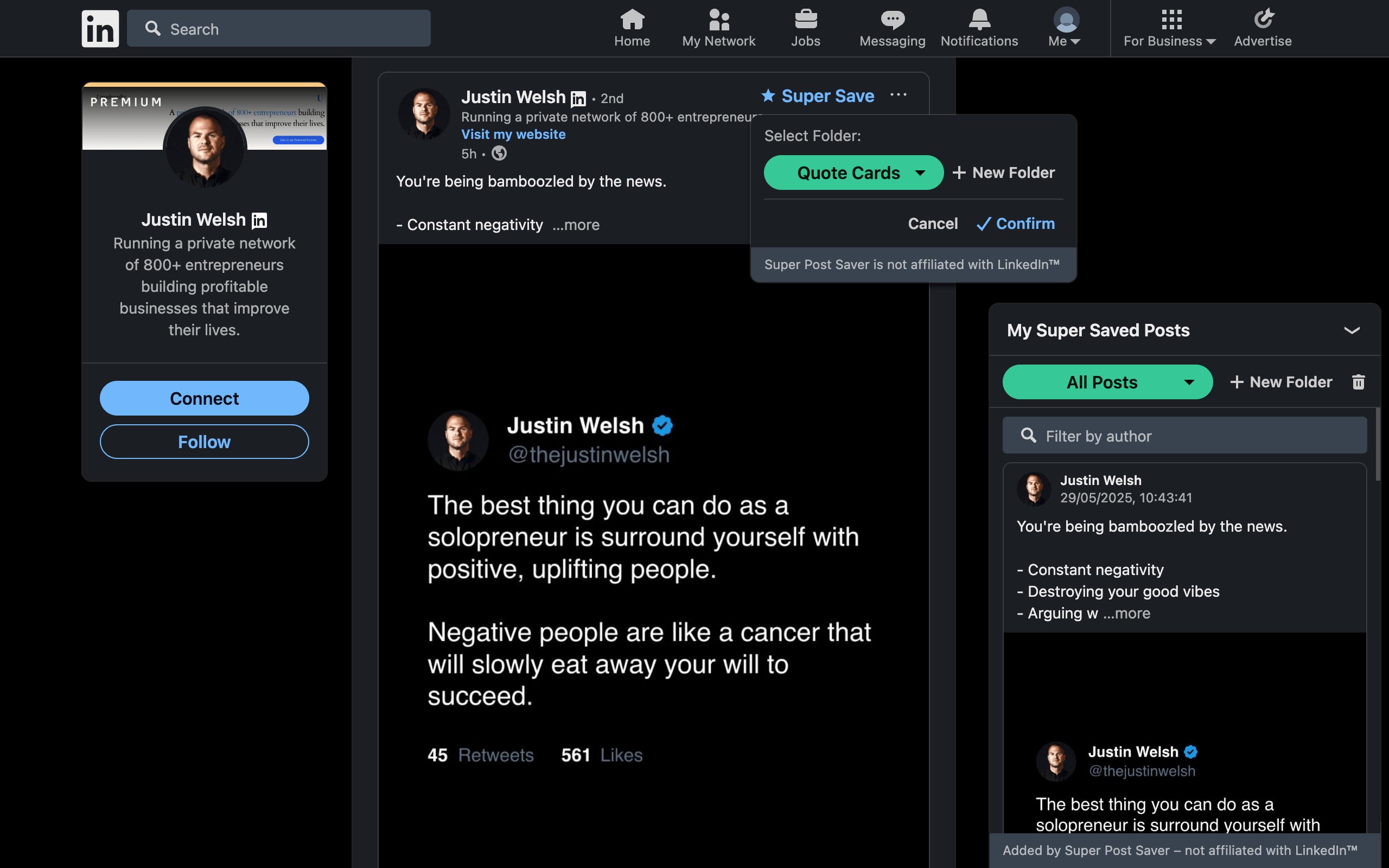
A creator's research library can contain examples of strong hooks, clear explanations, useful evidence, customer language, visual formats, and objections worth answering. Super Post Saver captures supported LinkedIn posts into folders and makes their author and visible text searchable.
The purpose is not to copy popular creators. Use saved posts to identify mechanisms: a contrast that makes a hook work, an example that clarifies an argument, or a carousel sequence that sustains attention. The LinkedIn swipe-file guide explains how to turn examples into original principles.
Free alternative: LinkedIn Saved Items plus a small document where you record the best links and lessons manually.
2. Write: start in a plain document
A plain document is still one of the strongest writing tools because it gives the idea room before platform formatting starts influencing it. Begin with the reader problem, your claim, the experience or evidence behind it, and the change you want the reader to make.
Use saved examples as prompts for analysis, not templates to imitate. Ask why an opening creates curiosity, where an example makes an abstract claim concrete, and which detail proves the author has lived the problem. Then close the reference and write from your own experience.
Run a deliberate editing pass before choosing the format:
- Remove an opening that delays the main point.
- Replace abstract claims with one concrete example.
- Read the post aloud for rhythm and unnecessary repetition.
- Check every statistic, quote, and attribution.
- Decide whether the idea works best as text or needs a visual sequence.
3. Create the visual sequence with aiCarousels
Not every idea needs a carousel. Use one when the reader benefits from a sequence: a process, a framework, a before-and-after story, a list with meaningful progression, or a concept that becomes clearer one step at a time.
aiCarousels helps turn a topic or existing text into a customizable carousel without requiring design expertise. Its editor includes AI writing assistance, templates, brand customization, coordinated colors and fonts, and automatic resizing so the slides remain readable while you edit. The result can be exported for LinkedIn as a document-style carousel.
Keep editorial control. Replace generic generated language with your own examples, remove slides that repeat the same point, and make the final slide useful even if the reader does not click anywhere. The complete LinkedIn carousel tutorial covers the sequence from idea to upload.
4. Publish with LinkedIn's native composer
LinkedIn's official creator guidance describes document posts for sharing multi-page material such as PDFs, playbooks, presentations, and reports. The basic flow is to start a post, choose the document option, upload the file, add a document title and post description, and publish.
Write a caption that gives the document context rather than repeating every slide. State the problem, tell the reader what they will learn, and add one relevant question when you genuinely want discussion. Keep the final source file in your own archive so you can reuse or update the idea later.
Publishing tools should reduce coordination work, not manufacture volume. A smaller cadence with a clear reason for each post is easier to learn from than a full calendar of interchangeable content.
5. Measure: LinkedIn's native analytics
Start with the data LinkedIn gives you before buying a separate analytics product. Review performance over a meaningful group of posts rather than treating one viral or quiet post as a strategy verdict.
Track decisions, not just metrics:
- Which topics attract the people you want to reach?
- Which openings earn attention without making a false promise?
- Which formats generate useful comments, profile visits, or conversations?
- Which posts produce a business or learning outcome after publication?
Record one lesson and one next experiment during a weekly review. A spreadsheet is enough until reporting volume or team needs justify a specialized tool.
The smallest workflow that protects the idea wins
Begin with a research collection, a writing document, and LinkedIn's native publishing and analytics. Add aiCarousels when a visual sequence makes the idea easier to understand. This gives each tool one clear responsibility and keeps the valuable parts of the work, your references, source draft, and exported carousel, under your control.
Review the workflow every quarter. Remove steps that do not improve the output, export the local Super Post Saver library before changing browsers, and keep final drafts outside LinkedIn. For the research process itself, use the five-stage LinkedIn content curation workflow.